
 how-to
How to Fix High Ad Bounce Rates: 7-Step Framework
Table of Contents
- Why High Bounce Rate from Paid Ads Wastes Budget
- What You'll Need Before You Start Fixing Ad Bounce Rates
- Step 1: Diagnose Your Ad Bounce Rates in Google Analytics 4
- Step 2: Separate Targeting Problems from Landing Page Problems
- Step 3: Fix Ad-to-Landing-Page Message Match
- Step 4: Run Landing Page Speed Optimization on Mobile First
- Step 5: Rebuild Campaign Targeting Around Qualified Clicks
- Common Mistakes That Keep Ad Bounce Rates High
- Frequently Asked Questions
Last Updated: October 14, 2026
Why High Bounce Rate from Paid Ads Wastes Budget
The cross-industry median bounce rate sits at 47.4%, according to Digital Applied's 2026 bounce rate benchmarks. That number gets worse when you pay for the click. Every visitor who lands and leaves without engaging is money you cannot get back.
Learning how to fix high ad bounce rates starts with one hard truth: paid traffic punishes sloppy targeting faster than organic traffic ever will. At NeuroAds Inc., we watch DTC brands burn budget on clicks that were never going to convert.
A bounce is not proof your ad failed. It is proof something between the click and the page broke the visitor's intent. This guide walks through a 7-step framework to find that break and close it.
What You'll Need Before You Start Fixing Ad Bounce Rates
You need three things in place before you change a single campaign: clean tracking, channel-level data, and a baseline to compare against.
Gather these first:
- Google Analytics 4 access with conversion events set up
- Ad platform reports broken out by campaign and audience
- A list of your top landing pages by spend
- Mobile and desktop traffic split for each page
- Your current bounce and engagement rates as a starting point
Without a baseline, you cannot tell whether a fix worked. Set one now.
Step 1: Diagnose Your Ad Bounce Rates in Google Analytics 4
Open GA4 and pull the engagement rate by channel. In GA4, engagement rate is the inverse of bounce rate, so a 52.6% engagement rate means a 47.4% bounce rate.
Segment your paid channels separately. Blended site-wide numbers hide the problem.
Look for three things:
- Which paid channel has the worst engagement rate
- Whether mobile performs worse than desktop
- Which landing pages pull the most paid traffic
That last one matters most. A single weak landing page can absorb most of your spend.
Reading Engagement Rate and Bounce Rate by Channel
Paid search bounce rates run around 38.6%, while display campaigns can exceed 65%, per Digital Applied's channel benchmark data. Display traffic arrives without intent, so the gap is expected, not alarming.
Compare your numbers against your own channels, not a single industry average. Semrush notes that the right bounce rate depends on page type, audience, and goals, so one benchmark should not be applied everywhere.
Step 2: Separate Targeting Problems from Landing Page Problems
Split the diagnosis in two: is the wrong person clicking, or is the right person landing on the wrong page?
Here is the fastest way to tell:
- High bounce across every page from one audience? Targeting problem.
- High bounce on one page from every audience? Landing page problem.
- High bounce on mobile only? Speed or layout problem.
- High bounce on one ad only? Message match problem.
Run this check before you spend time on redesigns. Most teams fix the page when the real issue sits in the audience settings.
Step 3: Fix Ad-to-Landing-Page Message Match
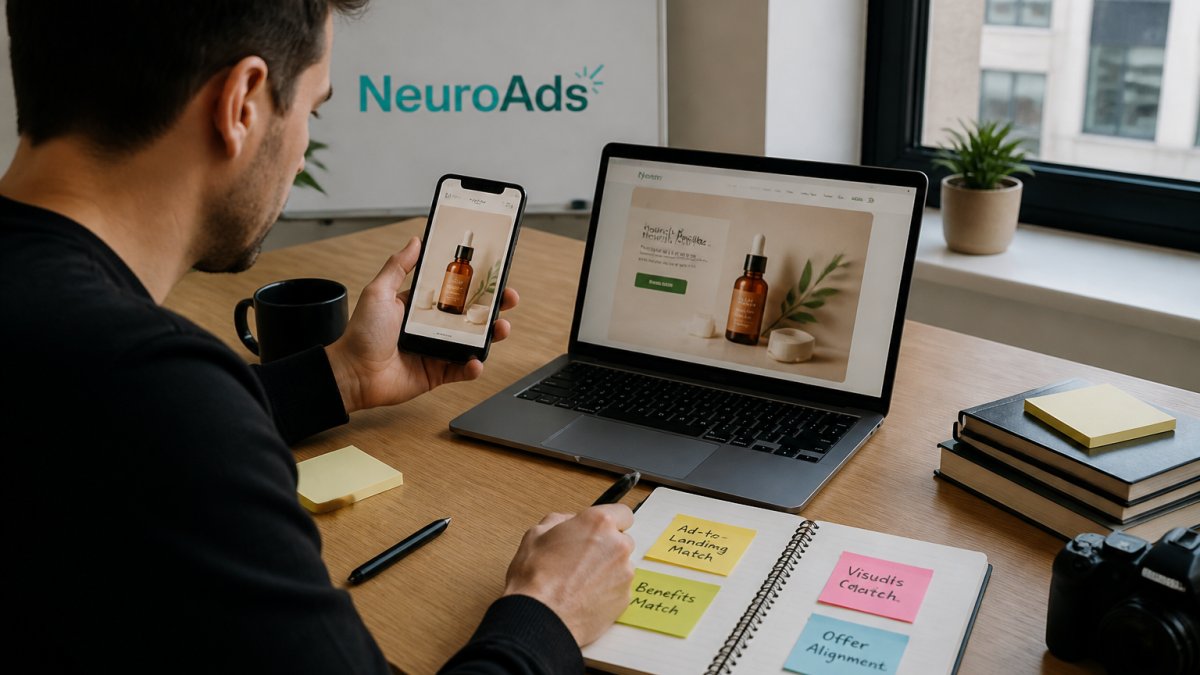
Ad-to-landing-page message match means the ad's promise, wording, and offer appear on the landing page the visitor lands on. When the two do not align, the visitor feels tricked and leaves.
Start with the headline. If your ad says "50% off first order," the landing page headline should say the same thing, not "Welcome to Our Store."
Then check the offer, the image, and the call to action. All four should line up.
AI Performance Marketing Platform →
Frederick Vallaeys, a paid search veteran, argues that ad creative should act as a filter and speak clearly to the intended audience. A vague ad pulls in unqualified clicks that were never going to convert.
Step 4: Run Landing Page Speed Optimization on Mobile First
Landing page speed optimization on mobile is where most paid campaigns quietly lose money. Mobile bounce rates run about 12 percentage points higher than desktop rates, per Digital Applied's device benchmark data.
Fullstory's 2026 guide calls slow pages the most common cause of high bounce rate and recommends compressing images and minifying CSS. Those two fixes alone move the needle for most pages.
Work through this list:
- Compress every image and serve modern formats
- Minify CSS and JavaScript files
- Remove render-blocking scripts from the header
- Cut third-party trackers you do not use
- Test on a real phone, not just a desktop emulator
Test after each change. Speed work is measurable, so measure it.
Step 5: Rebuild Campaign Targeting Around Qualified Clicks
A qualified click is a click from someone who matches your buyer, not just your keyword. Rebuild targeting to chase those clicks instead of raw volume.
Tighten these settings:
- Match audience to product, not to broad interest
- Exclude past purchasers from acquisition campaigns
- Add negative keywords for research-stage searches
- Cap frequency so the same user stops seeing the ad
- Split campaigns by intent level
This is where an AI ad optimization platform earns its place. NeuroAds Inc. uses predictive targeting to shift budget toward audiences that actually convert, which cuts the unqualified clicks that inflate bounce rates. To learn more about how our AI Advertising Platform can help, visit our website.
How to Decide Whether to Pause an Ad
Pause an ad only after it clears three checks: the audience is qualified, the message matches the page, and the page loads fast. If all three pass and bounce stays high, the offer is the problem, not the traffic.
Give any fix at least a week of data before you judge it. Bounce rates move slowly, and small samples lie.
Common Mistakes That Keep Ad Bounce Rates High
The same four mistakes show up in almost every account we review. Each one keeps bounce rates high no matter how much budget you add.
- Judging every page against one benchmark instead of page type and goal
- Fixing the landing page when the audience was the real problem
- Ignoring mobile speed because desktop looks fine
- Writing vague ads that pull in clicks with no intent to buy
One more: comparing bounce rates across time periods without checking whether the data is stable. A study on stationarity in web analytics found that bounce-rate comparisons need care around sampling periods, since the underlying data can shift. Treat a single week as a signal, not a verdict.
Frequently Asked Questions
What causes a high bounce rate from paid ads?
Three causes account for most of it: mismatched expectations between the ad and the landing page, slow load times, and untargeted audiences. Digital Applied reports display traffic bounces at 65% or higher because those visitors arrive without intent, while paid search sits near 38.6%. Fullstory's 2026 guide names slow pages the most common cause overall. Check message match and page speed before you touch bids, since both are cheaper to fix than rebuilding campaigns.
How do I know whether my ad bounce rate is too high?
Compare against your channel, not one universal number. The cross-industry median is 47.4% with a 52.6% engagement rate, per Digital Applied, but Semrush notes an appropriate rate depends on page type, audience, and goals. Paid search at 38.6% and display at 65%+ show how wide the range runs. If your paid search rate climbs well above 38.6% while conversions hold flat, that gap is worth investigating.
How can I tell if a high bounce rate comes from ad targeting or my landing page?
Run a simple split test. Send two ad variants to the same landing page: one tightly matched to the page headline, one broader. If the matched variant bounces less, your targeting or message match is the problem. If both bounce at similar rates, the page itself is losing visitors, which points to speed, layout, or a weak headline. GA4's engagement rate by campaign helps confirm which side is failing.
How long should I wait before changing an ad campaign with a high bounce rate?
Wait until you have enough sessions to trust the number, usually a few hundred clicks per variant, and check whether the data is stable across your reporting window. The stationarity study on web analytics bounce rates notes that sampling periods affect results, so comparing a Tuesday spike to a weekend average can mislead you. Give changes at least a week before judging them, then act on trends rather than single-day swings.
High ad bounce rates are rarely one broken thing. They are a chain: the wrong audience sees a vague ad, lands on a slow page, and finds a different offer than promised. NeuroAds Inc. closes that chain with AI-powered ad optimization, predictive targeting, and an integrated Shopify chatbot that handles shopper objections before they leave. Get started with NeuroAds Inc. and turn your paid traffic into profitable customers.