 comparison
AI Chatbot: A 2026 Guide to Leading Options
Table of Contents
- What Is an AI Chatbot and How It Works
- Best AI Chatbots: Feature Comparison
- How We Compare These Tools
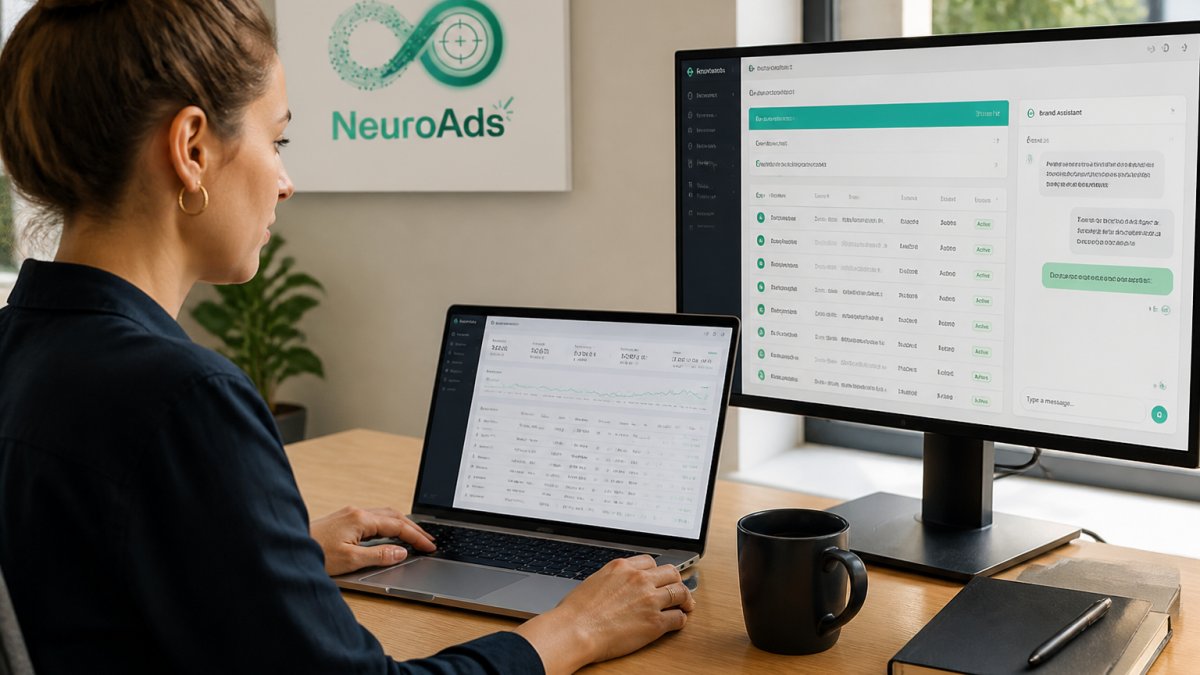
- NeuroAds Inc.: AI-Powered Ad Optimization and Chatbot Automation
- ChatGPT: Versatile General-Purpose Reasoning
- Claude: Writing, Analysis, and Code Generation
- Google Gemini: Google Ecosystem Integration
- Perplexity: Research and Multi-Model Access
- Accessibility and Platform Compatibility
- Which One Should You Pick?
- AI Chatbot Examples and Real-World Applications
- Effective AI Chatbot Prompts for Better Results
- AI Chatbot Privacy and Safety Considerations
- Choosing the Right AI Chatbot for Your Needs
- Frequently Asked Questions
Last Updated: October 12, 2026
What Is an AI Chatbot and How It Works
An AI chatbot is a software application that uses artificial intelligence to simulate human conversation and respond to user queries in natural language.
The core mechanism is straightforward: you provide a prompt, the AI chatbot processes it through neural networks, and returns generated text.
According to Pew Research Center's 2026 survey on AI adoption, 13% of U.S. adults now use chatbots to get news, signaling mainstream acceptance of conversational AI.
Best AI Chatbots: Feature Comparison
Below is a side-by-side comparison of five leading options, focused on what each tool is best at, how it is accessed, how it handles your data, and where it breaks down.
| AI Chatbot | Best For | Key Strength | Free Tier | Paid Plan | Data Training Default | Platform Access |
|---|---|---|---|---|---|---|
| NeuroAds Inc. AI Advertising Platform | DTC brands optimizing ad performance and customer recovery | Integrated Shopify chatbot for conversion-focused automation | Yes | Available | Not used for third-party model training | Web dashboard, Shopify app |
| ChatGPT | General-purpose reasoning and writing | Versatile across all tasks; broad knowledge base | Yes (limited) | Yes | On by default; can be disabled in settings | Web, iOS, Android, desktop app |
| Claude | Writing, analysis, and code generation | Long-form content and complex problem-solving | Yes (limited) | Yes | Off by default; opt-in only | Web, iOS, Android, desktop app |
| Google Gemini | Google ecosystem users | Seamless integration with Gmail, Docs, and Search | Yes (limited) | Yes | Tied to your Google account settings | Web, iOS, Android, Workspace sidebar |
| Perplexity | Research and multi-model access | Web-connected search with citations | Yes | Yes | Varies by model selected | Web, iOS, Android |
A note on how to read this table: free tiers are not equivalent. Most cap messages per window, restrict access to the newest model, or limit features like file uploads and web browsing.
How We Compare These Tools
Feature lists are easy to publish and hard to trust. Run the same repeatable tests against each chatbot and compare outputs side by side:
- Reasoning: Give each tool a multi-step word problem or a logic puzzle with a known answer. Note whether it shows its work and whether the final answer is correct.
- Writing: Ask each tool to rewrite the same 200-word product description in a specified tone and length. Compare adherence to constraints, not just prose quality.
- Coding: Provide a short function with a deliberate bug and ask each tool to find and fix it. Check whether the fix compiles and whether the explanation is accurate.
- Research: Ask a question whose answer changed recently and see whether the tool cites sources, how current those sources are, and whether the citations actually support the claim.
Run each test in a fresh conversation so earlier prompts don't skew results, and re-run every few months since model updates shift performance.
NeuroAds Inc.: AI-Powered Ad Optimization and Chatbot Automation
NeuroAds Inc. combines AI-driven ad optimization with an integrated Shopify chatbot built for e-commerce recovery and objection handling, closing the gap between paid traffic and conversions for DTC brands struggling with low ROAS or abandoned carts.
The platform's AI chatbot automates objection handling, addressing concerns about price, shipping, or product fit before shoppers leave, while the advertising engine optimizes targeting and bidding across channels.
What sets NeuroAds Inc. apart is the conversion-first mindset: ads drive traffic, the chatbot recovers hesitant buyers, and performance data feeds back into ad optimization.
ChatGPT: Versatile General-Purpose Reasoning
ChatGPT remains the most widely used AI chatbot for good reason: it handles nearly any task competently, from drafting marketing copy to debugging code and researching topics.
The free tier gives access to the base model with usage caps that reset on a rolling window, while ChatGPT Plus unlocks faster responses and advanced reasoning.
Where ChatGPT falls short: it's not optimized for any single use case, so specialized depth (Claude's writing, Perplexity's research) shows.
Claude: Writing, Analysis, and Code Generation
Claude excels at tasks requiring nuance, depth, and precision. For long-form writing, detailed analysis, or complex coding, it often outperforms competitors on quality and coherence.
It handles context windows effectively, processing longer documents and maintaining consistency across multi-turn conversations.
Claude offers a limited free tier alongside a paid Pro plan with priority access during peak hours. The free tier is enough to run the four tests above.
Google Gemini: Google Ecosystem Integration
Google Gemini integrates directly with Gmail, Google Docs, Google Search, and other Workspace tools, reducing friction for teams already in the Google ecosystem.
Gemini offers a free tier and a paid tier with priority processing and the latest model versions.
The downside: Gemini is primarily valuable if you're already a Google Workspace subscriber; for teams on Microsoft or Slack, the integration advantage disappears.
Perplexity: Research and Multi-Model Access
Perplexity is a research-focused AI chatbot that connects to the web and lets you choose from multiple AI models in one interface.
The free tier is genuinely useful: web-connected search and multiple models at no cost, with daily limits on advanced searches.
For researchers, journalists, and analysts needing cited sources and real-time information, Perplexity's web integration beats ChatGPT's knowledge cutoff.
Accessibility and Platform Compatibility
All five tools run in a browser, but native apps differ:
- Mobile: ChatGPT, Claude, Gemini, and Perplexity all ship iOS and Android apps. NeuroAds Inc. is accessed through its web dashboard and Shopify app rather than a standalone mobile app.
- Desktop: ChatGPT and Claude offer dedicated desktop apps; Gemini lives inside the browser and Workspace sidebar; Perplexity is browser-first.
- Integrations: Gemini is the strongest for Google Workspace; NeuroAds Inc. is the strongest for Shopify; the others rely on APIs or third-party connectors.
Which One Should You Pick?
There's no single winner. Match the tool to the job:
- General tasks and everyday productivity: ChatGPT's free tier is the best starting point.
- Long-form writing and code: Claude's output quality and stricter privacy default justify the paid plan for professional work.
- Research with citations: Perplexity's web-connected search is the fastest path to sourced answers.
Most teams end up using more than one; the four tests above are the cheapest way to decide which earns a permanent spot.
AI Chatbot Examples and Real-World Applications
AI chatbots solve different problems depending on context:
Content Creation: Marketing teams use ChatGPT and Claude to draft blog posts, emails, and social content. The chatbot handles the first draft, the team refines it, cutting writing time in half.
Customer Support: E-commerce brands deploy AI chatbots to answer FAQs, track orders, and handle refunds.
Code Assistance: Developers use Claude and ChatGPT to debug code, explain algorithms, and generate boilerplate, accelerating development.
Lead Qualification: For DTC brands, AI chatbots on the website or product page qualify leads in real time.
AI Performance Marketing Platform →
Brainstorming and Ideation: Product teams use ChatGPT to generate feature ideas, marketing angles, and naming suggestions.
Effective AI Chatbot Prompts for Better Results
The quality of your AI chatbot response depends entirely on prompt quality: vague prompts yield vague results, while specific, well-structured prompts yield actionable output.
Structure your prompts this way:
- Define the role or context: "You are a copywriter for a sustainable fashion brand."
- State the task clearly: "Write a product description for a linen shirt."
- Specify constraints: "Keep it under 150 words. Emphasize durability and eco-friendliness."
- Provide examples (optional): "Use a conversational tone, like this example: [paste reference]."
Example prompt: "You are a customer service specialist for an e-commerce store. A customer is concerned about shipping time.
This specificity yields a usable response on the first try; vague prompts like "write something about shipping" waste time with revisions.
AI Chatbot Privacy and Safety Considerations
Most AI chatbot roundups skip privacy entirely. That's a mistake, because two questions decide whether a chatbot is safe for a given task: what happens to what you type, and how do you catch it when the model is wrong.
What Happens to Your Prompts
When you send a prompt to a hosted AI chatbot, this typically happens:
- The text leaves your device and travels to the provider's servers.
- The model generates a response and returns it to you.
- The provider may log the conversation for abuse monitoring, debugging, and product improvement.
- Depending on your account settings, the conversation may be used to train future models.
Steps 3 and 4 are where the meaningful differences live. Some providers train on conversations by default and require you to opt out; others are opt-in only.
A practical rule: treat any hosted chatbot as a third party. If you wouldn't email the content to an outside vendor, don't paste it into a chatbot without confirming how that provider handles it.
A Simple Data Classification Framework
Before rolling a chatbot out to a team, sort information into three buckets:
- Public: Marketing copy, published product descriptions, open-source code. Safe to paste into any chatbot.
- Internal: Draft strategies, unreleased pricing, internal process docs. Use only with a provider whose training and retention settings you have verified, ideally on a business or team plan with contractual data protections.
- Regulated or personal: Customer names, addresses, payment details, health information, anything covered by privacy law. Do not paste into a general-purpose chatbot. Route it through a system built for that data, with access controls and a defined retention policy.
This framework beats a blanket ban: teams move fast on low-risk work while high-risk data stays out of the wrong tool.
Hallucinations and Source Verification
Every AI chatbot can hallucinate, stating false information confidently. Risk is highest when the model lacks current information, the question is niche, or the answer involves specific numbers, dates, citations, or legal and medical claims.
A few habits reduce the damage:
- Ask for sources, then open them. A citation is not proof. Models sometimes generate plausible-looking references that do not exist, or cite a real source that does not actually say what the model claims.
- Cross-check anything consequential. For numbers, dates, and quotes, verify against a primary source before you publish or act on it.
- Prefer tools with live web access for time-sensitive questions. Web-connected chatbots can retrieve current information, but they can still misread it, so verification remains.
Customer-Facing Chatbots Raise the Stakes
When a chatbot talks to your customers rather than your team, privacy and accuracy questions compound: you're responsible for data customers didn't choose to share with a third party, and for statements the chatbot makes on your behalf.
A common pattern among e-commerce teams is keeping customer conversations inside the platform that already holds the customer relationship, so data doesn't fan out to additional vendors.
A Pre-Deployment Checklist
Run through this before turning a chatbot loose on customers:
- Confirm whether your provider trains on conversations by default, and change the setting if needed.
- Classify the data the bot will touch using the three-bucket framework above.
- Verify retention and deletion policies in writing.
Privacy and accuracy aren't reasons to avoid AI chatbots. They're reasons to choose deliberately, test before deploying, and keep a human accountable for the output.
Choosing the Right AI Chatbot for Your Needs
Selecting an AI chatbot depends on your use case, budget, and integration needs:

For writing and content creation: Claude is the strongest performer. Its output quality and context handling justify the $20/month cost if writing is your primary workflow.
For general-purpose tasks: ChatGPT offers the best balance of capability and cost.
For research and fact-checking: Perplexity's web-connected search and multi-model access make it ideal.
For Google Workspace teams: Gemini's native integration simplifies workflows if you're already paying for Google Workspace.
For e-commerce conversion and customer recovery: NeuroAds Inc. combines AI chatbot capabilities with ad optimization for DTC brands.
NeuroAds Inc. is built for Shopify store owners and growth teams at DTC brands struggling with conversion rates and customer objection handling. The platform's strength is connecting paid traffic to actual sales through integrated automation.
Most teams benefit from multiple AI chatbots: ChatGPT for general tasks, Claude for writing-heavy work, and Perplexity for research. For e-commerce, layer NeuroAds Inc. on top to handle the customer journey from ad click to purchase.
Frequently Asked Questions
Is there a free AI chatbot?
Yes. ChatGPT and Perplexity both offer free tiers that let you test core features without payment. Free plans typically include standard conversation capabilities, though premium versions unlock advanced features, higher usage limits, and priority support. Start with a free AI chatbot to understand which tool fits your workflow before committing to a paid plan.
What can you use an AI chatbot for?
AI chatbots handle writing and drafting, idea generation and brainstorming, research and information retrieval, code generation, language translation, and customer support automation. They excel at answering questions, revising content, explaining concepts, and handling repetitive tasks. For e-commerce and customer-facing teams, an AI chatbot can manage objection handling and lead capture at scale.
What should you not ask an AI chatbot?
Avoid asking AI chatbots for real-time information, current stock prices, or breaking news, they cannot access live data. Do not rely on them for medical, legal, or financial advice without professional verification. Never input sensitive personal data, proprietary business information, or passwords. AI chatbots can hallucinate (generate plausible-sounding but false information), so always verify critical facts against authoritative sources.
How do you choose the right AI chatbot?
Evaluate based on your primary use case: ChatGPT excels at general reasoning; Claude specializes in writing and coding; Google Gemini integrates with Google services; Perplexity prioritizes research. Consider whether you need a free tier, multilingual support, or specific integrations. Test free plans first, then assess response quality, accuracy, and whether the tool's strengths align with your workflow before upgrading.
The right AI chatbot depends on what you're trying to accomplish. If you're optimizing paid traffic and need to recover hesitant shoppers before they leave, NeuroAds Inc.'s AI Advertising Platform integrates chatbot automation with ad performance optimization. The platform handles both sides of the conversion problem, better ads and smarter customer conversations, in one unified system. Explore the platform with the free tier and see how it impacts your ROAS and conversion rate.