 listicle
5 Best Shopify Chatbot Automation Practices for Cart Recovery
Table of Contents
- Why Chatbot Automation Beats Email-Only Cart Recovery
- Practice 1: Trigger Proactive Chat Within the 1-4 Hour Recovery Window
- Practice 2: Write Abandoned Cart Recovery Email Templates That Chatbots Can Personalize
- Practice 3: Use Shopify Cart Abandonment Rate Benchmarks to Set Realistic Targets
- Practice 4: Build Multi-Channel Flows Across Chat, SMS, and Email
- Practice 5: Choose the Best Shopify Chatbot Apps for Sales, Not Just Support
- Common Mistakes That Kill Chatbot Recovery Performance
- Frequently Asked Questions
Last Updated: October 2, 2026
Why Chatbot Automation Beats Email-Only Cart Recovery
Cart recovery chatbots can recover 15-25% of lost sales, according to Quickchat.ai's comparison of real-time engagement versus delayed email recovery, and that gap explains why Shopify chatbot automation has moved from experiment to default for high-growth DTC brands. At NeuroAds Inc., we see the same pattern in client data: the stores winning back revenue aren't sending more emails, they're starting conversations sooner.
Practice 1: Trigger Proactive Chat Within the 1-4 Hour Recovery Window
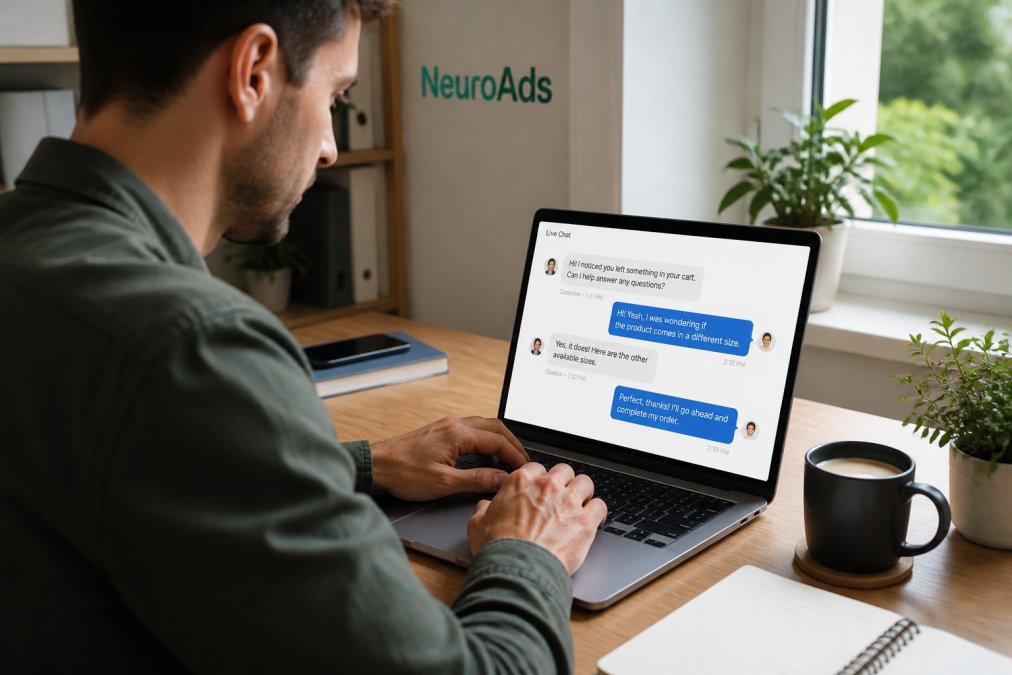
The single highest-use change is triggering a proactive chat before the shopper leaves, not hours after. Chatbots that engage in real time recover 7% to 25% of abandoned purchases, based on CRO Junkies community discussion on automated recovery performance, while delayed email flows typically recover closer to 20% under ideal conditions.
How Message Timing Affects Recovery Rates
Timing is the variable most merchants test last and should test first. A shopper who hesitates at checkout is deciding right now, not tomorrow morning. Real-time engagement catches that decision in progress.
- 0-5 minutes: Proactive chat on the cart page, addressing shipping, sizing, or payment concerns
- 1-4 hours: First automated nudge if the shopper left without engaging
- 24 hours: Follow-up with dynamic cart content
- 72 hours: Final reminder, often paired with a support offer rather than a discount
Practice 2: Write Abandoned Cart Recovery Email Templates That Chatbots Can Personalize
Most recovery guides hand you an email template and call it a day. That is the gap worth exploiting: email copy is a monologue, while chatbot recovery is a dialogue, and the two need different scripts. The strongest Shopify chatbot automation for abandoned cart recovery treats every email template as raw material the bot can break into modular blocks, a greeting, a cart recap, an objection handler, a proof element, and a single next step, then reassembles based on what the shopper actually did on the site.
Chatbot Conversation Scripts to Steal
These are the conversational flows competitors skip. Adapt the bracketed variables to your catalog.
Dynamic Cart Content vs. Generic Reminder Copy
Dynamic content wins because it does two jobs at once. It confirms the store remembers the shopper, and it removes the friction of finding the item again. Generic reminders ask the shopper to do that work themselves. Keep each block short, one product reference, one clear next step, one support path. Long recovery messages get skimmed and deleted, whether they arrive by email or in a chat window.
Practice 3: Use Shopify Cart Abandonment Rate Benchmarks to Set Realistic Targets
Shopify cart abandonment rate benchmarks give you a baseline, but they're a starting point, not a scoreboard. Most stores abandon roughly 70% of carts before purchase, and the recovery rate you should expect depends on traffic quality, price point, and how much checkout friction you've already removed.
| Channel | Typical Recovery Window | Realistic Recovery Rate | Best For |
|---|---|---|---|
| Proactive chat | 0-5 minutes | 7-25% | High-intent cart-page hesitation |
| SMS | 1-4 hours | 10-15% | Mobile-first shoppers |
| Email sequence | 1-72 hours | 5-10% | Broad, low-cost coverage |
| 1-24 hours | 15-25% | High-engagement audiences |
Practice 4: Build Multi-Channel Flows Across Chat, SMS, and Email
Multi-channel recovery flows outperform single-channel sequences because reach compounds. Top-performing stores now combine email, SMS, and WhatsApp recovery sequences, according to Attribuly's analysis of 2026 automation trends, and the chatbot acts as the connective tissue between them.
Segmenting Shoppers by Intent Before You Message
Not every abandoned cart deserves the same pressure. Segment by intent signals before your first message goes out.
AI Performance Marketing Platform →
- High intent: Added payment details, then left. Send a support-first chat, no discount.
- Medium intent: Viewed the cart twice, never reached checkout. Send a chat nudge plus SMS.
- Low intent: Added one item, bounced immediately. Email only, and keep it light.
Practice 5: Choose the Best Shopify Chatbot Apps for Sales, Not Just Support
The best Shopify chatbot apps for sales are built to handle objections and complete transactions, not just answer shipping questions. Most chatbots on the market are support tools wearing a sales label. Before you commit, check whether the tool can identify visitors, trigger proactive chat on cart pages, and pass recovery data back to your ad platform so you can retarget accurately.
The Technical Integration Problem Nobody Warns You About
This is the section competitors skip. Every recovery app you install injects its own JavaScript into your Shopify theme, and those scripts fight each other. The symptoms are subtle: duplicate chat widgets loading, exit-intent triggers firing twice, cart APIs returning stale line items, or a recovery event logged in one dashboard but not the other. A common pattern is a store running three automation apps where two of them both claim the same abandoned-cart event, so the shopper gets two messages ninety seconds apart.
A few practical guardrails:
- Audit your theme's script tags. In Shopify admin, go to Online Store > Themes > Edit code and search for app embed blocks. Remove any recovery app you've stopped using, dead scripts still fire.
- Pick one source of truth for cart events. Decide whether your chatbot or your email platform owns the abandoned-cart trigger, and configure the other to listen rather than fire.
- Watch the Shopify Web Pixels API. Apps that migrated to web pixels behave differently from older script-tag apps, and mixing the two can cause events to double-count.
- Test in a staging theme first. Install the chatbot on a duplicate theme, run a test abandonment, and confirm only one message fires before you push live.
- Check your consent and privacy posture. Recovery messages that touch SMS or WhatsApp need opt-in handling that matches your store's privacy policy and applicable messaging rules.
What to Compare Before You Commit
Price is the least useful comparison point. What matters is whether the tool can identify visitors, trigger proactive chat on cart pages, and pass recovery data back to your ad platform so you can retarget accurately. Ask each vendor three questions: Does it expose a webhook when a cart is recovered? Can it segment by intent signal, not just cart value?
Common Mistakes That Kill Chatbot Recovery Performance
The biggest mistake is treating the chatbot as a discount dispenser. Shoppers who abandon because of an unanswered question don't need 10% off, they need the answer. Offering a discount first trains your audience to abandon on purpose.
- Fix checkout friction on mobile before adding channels
- Test one variable at a time: timing, copy, or channel, never all three
- Track ROI per touchpoint so you can cut what doesn't convert
Frequently Asked Questions
How to recover abandoned carts on Shopify using chatbot automation?
Set up a proactive chat trigger that fires when a shopper leaves the checkout page without completing the order. The chatbot should open a conversation within 1 to 4 hours, reference the specific items left behind, and offer help with common objections like shipping costs or sizing. AI chatbots can recover between 7% and 25% of abandoned purchases when using personalized reminders, according to 2026 industry data. Pair the chat trigger with a follow-up email or SMS sequence to cover shoppers who miss the initial message.
What is the best timing for an abandoned cart chatbot message?
Industry benchmarks for 2026 show the most effective recovery strategy sends the first message within 1 to 4 hours after cart abandonment. Waiting longer than that lets the shopper's intent fade and gives competitors a chance to capture the sale. Chatbots have an advantage over email here because they engage in real time rather than sitting in an inbox. If the first message gets no response, follow up at 24 hours and again at 72 hours through a different channel like SMS.
Are chatbots effective for reducing cart abandonment?
Yes. Cart abandonment chatbots can recover 15% to 25% of lost sales, according to Quickchat.ai's 2026 comparison of real-time engagement versus delayed email recovery. The key difference is speed: chatbots reach shoppers while they are still on the site or shortly after they leave, when purchase intent is highest. Automated recovery systems overall help stores recover about 20% of abandoned carts, per Retainful's 2026 benchmark. Chatbots also handle objections directly, answering shipping, sizing, or payment questions that caused the abandonment.
What should abandoned cart recovery email templates include when paired with a chatbot?
Effective templates include the specific product name and image, a clear reason to return (free shipping, a limited-time reminder, or social proof), and a single call-to-action button. When a chatbot is part of the flow, the template should invite the shopper to reply with questions rather than just clicking a link. Dynamic cart content that reminds shoppers exactly what they left behind consistently outperforms generic reminder copy. Keep the first email short, then use the second and third messages to address objections the chatbot flagged.
How do I know if my Shopify chatbot automation is actually working?
Track three metrics: recovery rate (percentage of abandoned carts converted), response rate (how many shoppers engage with the chat), and revenue per recovered cart. Compare your numbers against Shopify cart abandonment rate benchmarks, which show average abandonment around 70%. If your chatbot recovers less than 7% of abandoned purchases, the issue is usually timing, message relevance, or a trigger that fires too late. Run A/B tests on message copy, send time, and channel to find what moves your specific audience.