
 how-to
AI Chatbot for Shopify Objections: 2026 Playbook
Table of Contents
- Why Shopify Objections Cost You Sales (and What AI Fixes)
- What You'll Need Before You Set Up Objection Handling
- Step 1: Map the Objections Your Shopify Chatbot Must Answer
- Step 2: Write Shopify Chatbot Scripts for Sales Objections
- Step 3: Train the Bot on Product, Shipping, and Return Data
- Ecommerce Chatbot Examples That Handle Pushback Well
- Shopify chatbot best practices for Accuracy and Escalation
- Step 4: Measure Objection Resolution and Test Responses
- Frequently Asked Questions
Last Updated: October 5, 2026
Why Shopify Objections Cost You Sales (and What AI Fixes)
An AI chatbot for Shopify objections is software that detects hesitation in a shopper's questions and answers it in real time, before the shopper leaves. That matters because hesitation is expensive.
Most guides treat chatbots as ticket deflectors, which misses the money. A bot that only answers "where is my order?" saves support hours; a bot that answers "will this fit?" and "why is shipping so high?" saves the sale.
What You'll Need Before You Set Up Objection Handling
Three things separate a converting bot from an annoying one: real objection data, clean product data, and a clear escalation path. Gather:
- A list of your top 20 customer questions, pulled from support tickets, live chat transcripts, and pre-purchase emails
- Product page content your bot can read: sizing charts, materials, care instructions, stock status
- Shipping and returns policy text in plain language, including cutoffs and costs
If your product data lives in five places and none agree, fix that first, a bot trained on contradictions will contradict itself in front of customers.
Step 1: Map the Objections Your Shopify Chatbot Must Answer
Separate objections into two buckets, they need different scripts and timing.
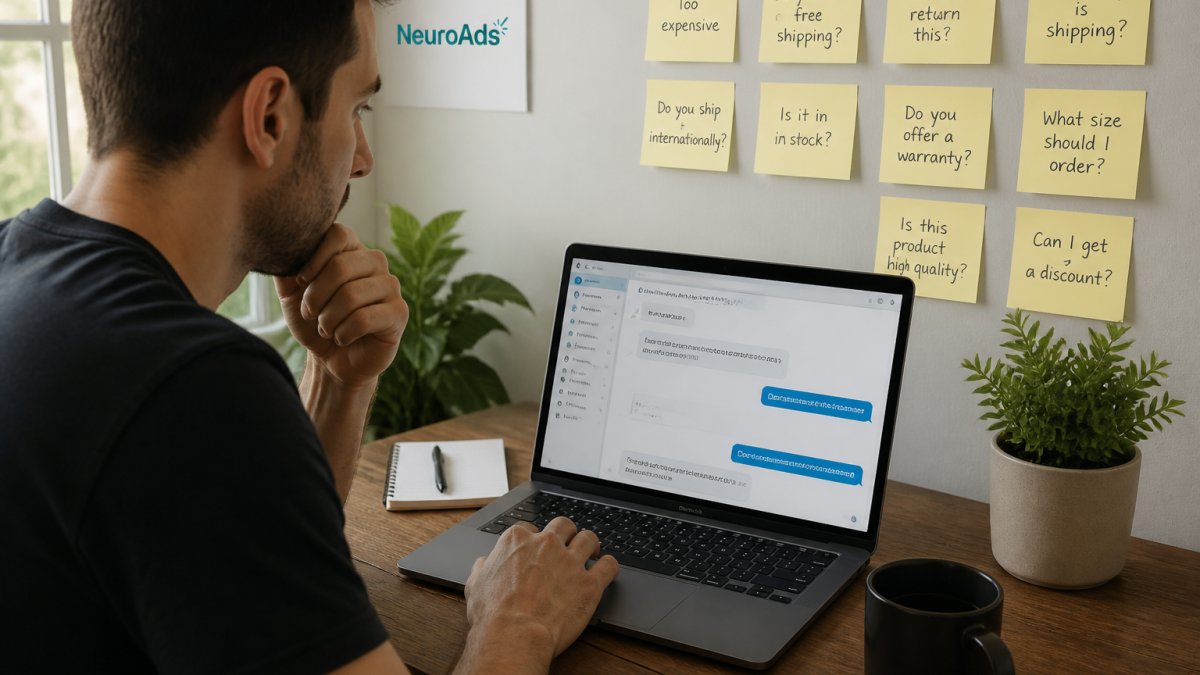
Pre-Purchase Objections vs. Checkout Objections
Pre-purchase objections are questions about whether the product is right: sizing, materials, compatibility, durability, price. Checkout objections are friction questions: shipping cost, delivery speed, return policy, payment options, trust signals. Pre-purchase objections respond to information; checkout objections respond to reassurance and speed. A bot that answers a sizing question with a returns policy has misread the moment. Build your map as a table before writing a script:
| Objection | Where It Appears | Bot Response Type | Escalate? |
|---|---|---|---|
| "Will this fit me?" | Product page | Sizing guidance from chart | No |
| "Why is shipping $12?" | Cart, checkout | Policy explanation, free-ship threshold | No |
| "How fast will it arrive?" | Product page, checkout | Delivery estimate by ZIP | No |
| "Can I return it?" | Checkout | Policy summary plus link | No |
| "Is this in stock?" | Product page | Live inventory check | No |
| "I need this by Friday" | Checkout | Expedited options, cutoff time | Sometimes |
| "This feels expensive" | Product page | Value framing, bundle options | No |
| Custom or bulk request | Anywhere | Qualify and route | Yes |
Step 2: Write Shopify Chatbot Scripts for Sales Objections
Shopify chatbot scripts for sales work best when they acknowledge the concern, answer it, then offer a next step. Skipping the acknowledgment is the most common mistake we see, a shopper who asks about price and gets a discount code feels handled, not helped.
The Four-Part Script Structure
Every objection response should follow the same skeleton:
- Acknowledge, name the concern in the shopper's own words
- Answer, give the specific fact from verified data (sizing chart, shipping rule, return window)
- Reframe or de-risk, connect the answer to value, or remove the risk (exchange window, payment plan, bundle)
- Advance, offer one clear next step (add to cart, view the size guide, hold the cart)
Missing step 1 reads as defensive; missing step 4 ends the conversation without a path to purchase.
Script Templates for Price, Shipping, and Sizing Pushback
Adapt these to your store:
Price pushback:
"That's a fair question. [Product] runs $[price] because [one concrete reason: material, warranty, made-to-order]. If budget is the constraint, [bundle/refurbished/payment plan] brings it to $[amount]. Want me to show you that option?"
Shipping cost pushback:
"Shipping on this order is $[amount] because [reason]. Orders over $[threshold] ship free, and you're $[gap] away.
Sizing pushback:
"Here's how [product] runs: it fits true to size in [area] and snug in [area].
Delivery deadline pushback:
"To arrive by [date], choose [shipping method] and order before [cutoff time] today.
Tone Variants: Match the Shopper, Not the Brand Voice Guide
A single script per objection underperforms because shoppers arrive in different moods. Build two or three tone variants and let the bot pick based on phrasing:
- Neutral/curious ("Does this run small?"): informative, direct
- Hesitant ("I'm not sure if this will work for me"): warmer, lead with the de-risk element
- Frustrated ("Why is shipping so expensive?"): brief acknowledgment, fastest path to a concrete answer
Route frustrated phrasing to a shorter script, long explanations read as excuses when a shopper is already annoyed.
Channel Differences: On-Site Chat vs. SMS vs. Email
The same objection needs different phrasing per channel:
- On-site chat (product page, cart): short, scannable, one question per message, shoppers are mid-task and will abandon a wall of text.
- SMS: even shorter, no markdown, no links unless necessary. Delivery and return questions dominate.
- Email: more detail is fine, but the first line must answer the objection.
Use one script across all three and the on-site version feels bloated while the email version feels thin.
Handling the Objection You Can't Answer
The most important script handles questions outside the bot's trained data. The bot should say so plainly and offer a handoff, not improvise:
"I don't have a verified answer for that, and I don't want to guess. I can connect you with a teammate who can help, want me to do that now, or would you rather I email you when I have the answer?"
That phrasing protects accuracy, keeps the shopper in the conversation, and gives them control. A bot that guesses on a return window or delivery date creates a support ticket and a trust problem at once.
Where Each Script Belongs in the Buying Journey
Objection scripts should differ by page type:
- Product page: lead with product-specific facts (fit, materials, compatibility). The shopper is still deciding.
- Collection page: lead with comparison and filtering help. The objection is usually "which one."
- Cart: lead with shipping cost, delivery timing, and total. The objection is friction, not fit.
A bot that answers a cart-stage shipping question with a product-page sizing script has misread the moment.
AI Performance Marketing Platform →
Step 3: Train the Bot on Product, Shipping, and Return Data
Accuracy comes from what you feed the bot, not how clever the model is. Connect it to your product catalog, order management system, and shipping and returns documentation so answers reflect current reality.
According to Ringly.io's roundup of Shopify chatbots, chatbots reach a 93% deflection rate on order-tracking questions. That number is achievable because order tracking is a data lookup with one correct answer.
A practical sequence:
- Sync the product catalog, including variants, so the bot knows which sizes and colors exist
- Load shipping rules by region, weight, and method, with cutoff times
- Load the returns policy verbatim, then add a plain-language summary
- Add order lookup so the bot answers with the specific order in view
- Test 50 real customer questions and log every wrong answer
Ecommerce Chatbot Examples That Handle Pushback Well
Ecommerce chatbot examples that work share one trait: they answer the question the shopper actually asked.
The pattern repeats across categories.
Digital Applied's 2026 analysis of ecommerce chatbots associates chatbot intervention at exit intent with recovery of 10% to 15% of abandoned carts, and average order value increases of 8% to 20%.
Shopify chatbot best practices for Accuracy and Escalation
Shopify chatbot best practices come down to three rules: answer only from verified data, escalate when confidence is low, and never bluff. Set hard guardrails so the bot declines rather than guesses, a confident wrong answer about a return window or delivery date creates a problem support has to clean up.
Define escalation triggers explicitly:
- Any question mentioning a chargeback, legal issue, or injury
- Bulk, wholesale, or custom requests
- Two consecutive failed attempts to resolve the same question
Step 4: Measure Objection Resolution and Test Responses
Measure objection resolution by tracking whether the conversation ended in a purchase, a support ticket, or abandonment. Those three outcomes tell you more than any satisfaction score.
Define "Resolved" Before You Measure It
Most stores never define a resolved objection, so their numbers are noise. Pick a definition and apply it consistently:
An objection is resolved when the shopper received a verified answer, did not escalate, and either completed the purchase or moved forward in the funnel (added to cart, started checkout) within the same session.
That excludes conversations where the shopper got an answer and still left, unanswered objections wearing a polite mask.
How to Instrument This in Shopify
You don't need a data warehouse. A practical setup:
- Tag every chat session with the objection category the bot detected (fit, price, shipping, returns, trust, other).
- Write the tag back to the order when a chat-attributed purchase completes, using Shopify's order notes and metafields.
- Pull the three outcomes weekly, purchased, escalated, abandoned, segmented by objection category.
- Cross-reference with your Shopify analytics for session-level conversion, comparing shoppers who chatted against those who did not.
If your chatbot app cannot tag conversations or write back to orders, treat that as a selection criterion, not an afterthought.
The Metrics That Actually Move Decisions
Track these weekly, segmented by objection category:
| Metric | What It Tells You | Target Direction |
|---|---|---|
| Objection resolution rate | Share of objection chats ending in purchase or funnel advance | Up |
| Escalation rate | Share handed to a human | Down, but not to zero |
| Cart recovery rate | Abandoned carts recovered after chat | Up |
| Wrong-answer reports | Customer-flagged inaccuracies | Down |
| Post-chat conversion rate | Conversion for shoppers who chatted | Above site average |
| Revenue per conversation | Total attributed revenue divided by chats | Up |
| Time to first response | Seconds until the bot replies | Under a few seconds |
Two deserve more attention: revenue per conversation justifies the project to whoever owns the budget, and time to first response determines whether the shopper stays long enough to hear the answer.
Running Tests That Produce Trustworthy Results
Changing three scripts at once tells you nothing. A repeatable test process:
- Pick one objection category (for example, shipping cost on the cart page).
- Write one variant that changes a single element, the acknowledgment line, the reframe, or the next-step offer. Not all three.
- Split traffic so half of qualifying shoppers see the new script and half the old one. Without native A/B testing, alternate by day and compare like-for-like days.
- Run for a full week minimum, ideally two, to smooth out weekday and weekend differences.
- Compare resolution rate and post-chat conversion, not raw chat volume, a script that gets more replies but fewer purchases is a loss.
- Keep the winner, log the loser, and move to the next objection category.
A common pattern is that the first variant wins, then the second and third don't. That's normal, find the version that beats your baseline, then leave it alone until the data says otherwise.
Reviewing Transcripts: The Highest-Value Hour of Your Week
Numbers tell you what happened; transcripts tell you why. Block one hour a week to read conversations behind your worst-performing objection category. Look for:
- Questions answered with a generic policy when a specific fact was available
- Moments where the shopper repeated themselves, a sign the first answer missed
- Escalations that better product data could have resolved
That review is also where your next content brief comes from. If ten shoppers asked the same sizing question and the bot fumbled it, your product page is missing information, not just your script.
Connecting Chat Data to Ad Data
Objection data is only half the picture if you don't know which traffic produced it.
This is where an integrated approach pays off. Our Shopify AI Chatbot handles the conversation side, and our AI Advertising Platform handles the traffic side, so the same objection data improves both your targeting and your scripts.
Frequently Asked Questions
How can an AI chatbot handle customer objections on Shopify?
An AI chatbot handles objections by recognizing hesitation signals in the conversation, then responding with store-specific facts. For example, if a shopper asks about return windows, the bot pulls the exact policy from your store data and answers in the chat. It can also trigger at exit intent to address last-minute doubts. Research from Digital Applied (2026) associates chatbot intervention at exit intent with recovery of 10% to 15% of abandoned carts, making objection handling a direct revenue lever rather than just a support feature.
What questions should a Shopify chatbot answer before checkout?
Focus on the objections that stall purchases: shipping cost and delivery time, return and refund policy, sizing or compatibility, stock availability, and payment options. Order-tracking questions are also high volume. Ringly.io (2026) reports a 93% deflection rate on order-tracking questions, which frees your support team for complex issues. Build scripts for each of these categories, then let your Shopify chatbot best practices guide how you test and refine the responses over time.
Can a Shopify AI chatbot help recover hesitant shoppers?
Yes, when it intervenes at the right moment with the right answer. A bot that detects exit intent or a stalled checkout can offer shipping details, restate your return policy, or surface a product recommendation that matches what the shopper was browsing. Digital Applied (2026) associates AI chatbots with an 8% to 20% increase in average order value, partly because the bot can suggest complementary items during the objection conversation. The key is accuracy: a wrong answer loses the sale faster than no answer.
When should a Shopify chatbot hand a conversation to a human?
Escalate when the bot cannot verify an answer, when the shopper asks for a custom order or bulk pricing, or when the conversation turns emotional or complaint-driven. Build a clear handoff rule: after two failed resolution attempts or any mention of a chargeback, route to a live agent. This guardrail protects response accuracy and keeps the customer experience intact. Shopify chatbot apps that support human handoff natively make this easier to implement without custom code.
The hard part isn't installing a chatbot. It's getting one that answers real objections with real data instead of guessing, and knowing which conversations actually recovered revenue. NeuroAds Inc. built our Shopify AI Chatbot to handle objection handling and shopper recovery inside the store, with escalation guardrails and conversation reporting that feed back into your ad targeting. Get started with NeuroAds Inc. and turn the questions your shoppers already ask into completed checkouts.