 How-to
How AI Landing Page Testing Turns Ad Clicks Into Sales
Last Updated: November 11, 2026
Quick Summary
AI landing page testing uses machine learning to generate page variants and route paid traffic to the version most likely to convert, then measures results against a control. World of Wonder saw a 19.7% conversion lift across all visitors using AI traffic routing. It accelerates whatever you feed it, so message match and clean tracking come first.
- The median landing page conversion rate is 6.6% across more than 41,000 pages.
- Roughly 30% of companies plan to use AI to enhance their landing pages.
- Personalized calls to action were reported to convert 202% better than generic versions.
- Set test duration by traffic volume: under 50 weekly conversions per variant needs 4-6 weeks.
- Confirm your pixel fires on the variant URL before spending real budget.
Table of Contents
- Why AI Landing Page Testing Changes Paid Ad Results
- How to Pick the Right AI Landing Page Generator for Ad Campaigns
- Setting Up Landing Page A/B Testing Without Corrupting the Data
- How to Decide Landing Page Test Duration Before You Launch
- Ad Landing Page Examples That Show What to Test First
- Reading Results: Post-Click Quality, Incrementality, and Privacy
- Put Your Ad Landing Pages to the Test in the AI Advertising Platform
- Frequently Asked Questions
Why AI Landing Page Testing Changes Paid Ad Results
That number matters because most paid clicks land on a page that was never built for them.
Here is the part most guides get wrong: AI does not fix a weak offer. It accelerates whatever you feed it. Feed it a mismatched page and you get faster failure.
- Message match decides whether the click feels right
- Page speed and mobile layout decide whether it loads
- The conversion event decides whether you can trust the result
Get those three right and testing compounds. Get them wrong and you are just buying traffic for a page nobody wanted.
How to Pick the Right AI Landing Page Generator for Ad Campaigns
Choose a generator that connects to your ad platforms and reports on conversion events, not one that only writes copy.
Roughly 30% of companies plan to use AI to enhance their landing pages, according to involve.me landing page statistics.
Score each option against this checklist before you commit:
- Generates variants from a prompt, a URL, or product data
- Fires conversion events into your ad platform and analytics
- Splits traffic without breaking UTM parameters
- Supports mobile-first layouts and fast load times
Best for: teams running paid traffic across two or more channels. Skip if: you only need a static page and test once a quarter.
What to Feed the Generator: Prompts, URLs, and Product Data
Prompts give you speed. URLs give you fidelity. Product data gives you accuracy.
A prompt like "landing page for a $49 skincare bundle aimed at first-time buyers from a TikTok ad" produces usable structure fast. Scraping your existing product page keeps specs and pricing honest.
What most guides miss is the third input. Feed the generator your ad creative and your top customer objections, not just your product name.
Matching Page Copy to Ad Creative and Audience Intent
Message match is the single highest-use fix in paid traffic.
Personalized calls to action were reported to convert 202% better than generic versions, according to Genesys Growth marketing statistics. That is not a design trick.
Audience intent shifts by source. Someone from a search ad wants specifics. Someone from a short video ad wants reassurance. Write two headlines, not one.
Setting Up Landing Page A/B Testing Without Corrupting the Data
Landing page A/B testing only works if one variable changes at a time and the measurement layer is wired correctly before the first click. Change the headline, image, and form together and you learn nothing about which one moved the number.
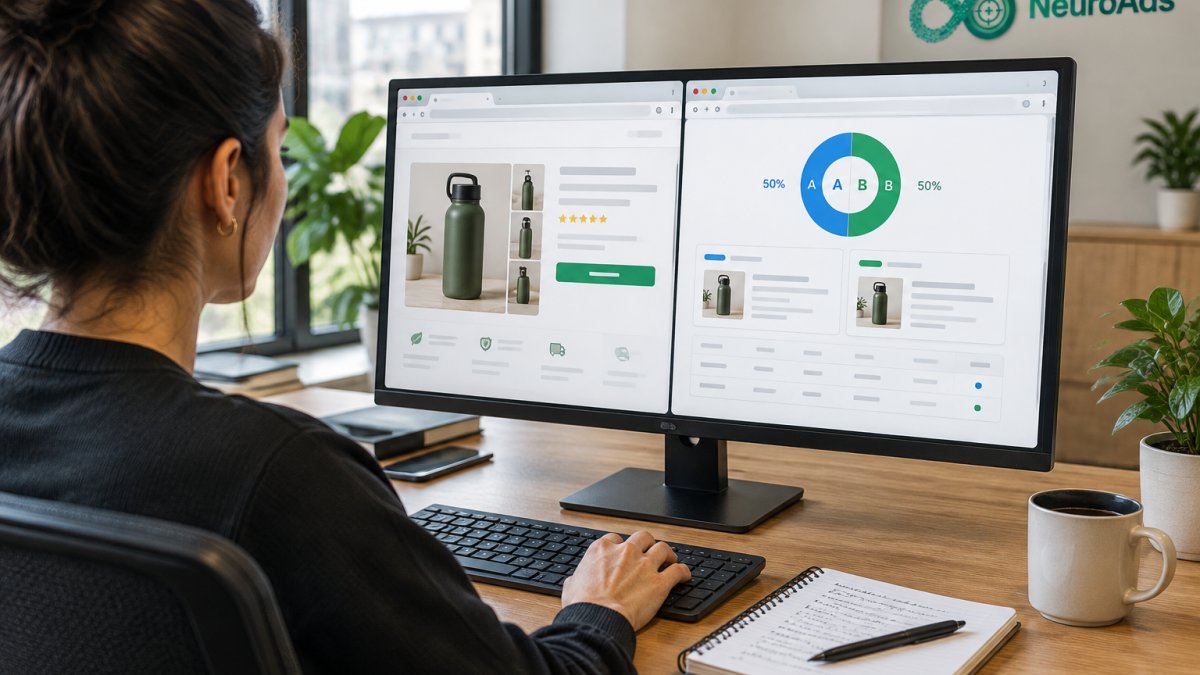
Run the setup in this order:
- Write the hypothesis as a sentence: "If we change X, then conversion rate will rise because Y."
- Pick one variable: headline, hero image, layout, or call to action.
- Define the conversion event before launch.
- Split traffic evenly and keep it even.
- Freeze all other changes for the test window.
Instrument the Ad Platforms Before You Split Traffic
The most common failure in AI landing page testing is not a bad page. It is a page whose conversions never reach the ad platform, so the algorithm optimizes toward the wrong signal. Before you launch a variant, confirm four things in each ad account:
- The pixel or tag fires on the variant URL. Load the page in a clean browser, open the platform's event debugger, and watch the event arrive. A tag that fires on the control but not the variant is the single most common silent break.
- The conversion event matches the test goal. If the test measures checkout starts, the platform must optimize toward checkout starts, not purchases. Mismatched events teach the algorithm to favor the wrong variant.
- UTM parameters survive the split. AI page builders that route traffic sometimes strip query strings. Append a test parameter (for example, a variant ID) to every ad URL and verify it lands in your analytics tool. If the parameter disappears, you cannot attribute the result.
- Attribution windows are consistent. A 7-day click window on one platform and a 1-day view window on another will produce two different winners from the same test. Pick one window per test and hold it.
A practical pattern is to build the variant URLs first, run a single low-budget test campaign against each, and confirm events in the platform's debugger before spending real budget. This pre-flight check catches most tracking breaks.
Isolate One Variable and Define the Conversion Event First
Define the conversion event before the first click arrives. A form submit, a checkout start, and a purchase are three different events, and mixing them produces a number you cannot act on.
A common mistake is counting a scroll or time-on-page as success. Our guide on 7 AI creative testing mistakes that waste your ad spend covers the traps that quietly corrupt results.
Keep the Test Clean Across Channels
If the same landing page receives traffic from search and paid social, split the test by source or run separate experiments. A blended conversion rate hides that one channel's audience responds to a different headline. Segment the readout by campaign and device before declaring a winner, a variant that wins on desktop can lose on mobile, where most paid social clicks land.
How to Decide Landing Page Test Duration Before You Launch
Set landing page test duration by traffic volume and expected lift, not by a fixed two-week rule. You need enough conversions for the result to mean something.
A practical starting frame:
| Weekly Conversions per Variant | Minimum Runtime | Why |
|---|---|---|
| Under 50 | 4-6 weeks | Too little data to call a winner |
| 50-200 | 2-3 weeks | Enough volume for a stable read |
| 200-500 | 1-2 weeks | Fast signal, watch for novelty effects |
| Over 500 | 7-10 days | Diminishing returns on waiting |
Stop early only if the result is extreme and the sample is large. Otherwise let it run. Peeking daily and stopping when you like the number is how teams ship false winners.
Ad Landing Page Examples That Show What to Test First
Start with the elements that carry the most conversion weight. Headlines, hero images, and calls to action move numbers fastest. For a step-by-step walkthrough of creative testing, see the NeuroAds Creative Testing: A How-To Guide.
AI-powered personalization was reported to increase conversions by 40%, according to Genesys Growth personalization data. Personalization is the theme running through the strongest ad landing page examples.
Test in this order:
- Headline: the promise, in the ad's words
- Hero image: product in use versus product on white
- Call to action: specific verb versus generic submit
- Form length: email only versus email plus name
The Five-Step Workflow: Brief, Generate, Instrument, Test, Read
Step 2, Generate the variant from the brief, not a blank prompt. Feed the AI generator the ad creative, the audience description, and the top two objections from your sales or support inbox. A prompt that includes the objection produces a page that answers it; one that only names the product produces a generic page. Generate a control that mirrors your current page and one challenger that changes only the variable in your hypothesis.
Step 3, Instrument both pages identically. Use the same conversion event, the same UTM structure, and the same attribution window on control and challenger.
Step 4, Run the test to a pre-committed sample. Decide the runtime and the minimum conversions before launch, then hold to it.
Step 5, Read the result against the brief, not just the dashboard. Compare conversion rate, cost per acquisition, and downstream refund or return rate.
A Worked Example
A search campaign for a skincare bundle sends clicks to a page that opens with a brand story. The brief suspects the story delays the price.
Watch out: if the challenger also changes the hero image because the generator "improved" it, you have two variables and no answer. Lock every element except the one in your hypothesis before you publish.
Once a page wins, turn that win into more revenue. Our 7-step framework to improve ecommerce conversion rate shows how to carry a test result through the rest of the funnel.
Reading Results: Post-Click Quality, Incrementality, and Privacy
A higher conversion rate can still lose money. Post-click quality and incrementality tell you whether the lift was real or borrowed from another channel.
Check three things after every test:
- Cost per acquisition against the control
- Return on ad spend across the full window, not just the test
- Downstream refund and return rates for the winning variant
Adobe notes that AI-referred visitors often arrive with higher intent and more specificity (Adobe on AI-referred traffic).
Privacy belongs here too. Only feed the generator customer data you have consent to use, and keep personally identifiable information out of prompts and test variants.
Put Your Ad Landing Pages to the Test in the AI Advertising Platform
Testing only pays off when the page, the ad, and the recovery path run on one system.
NeuroAds Inc. connects AI-powered ad optimization and predictive targeting to the page experience, so winning variants get more traffic automatically.
If you want the wider performance picture first, read how ecommerce brands improve ROAS with AI. The NeuroAds AI Advertising Platform guide walks through setup.
The challenge is simple: most paid traffic dies on a page that was never tested. We can fix that.
Frequently Asked Questions
How much traffic do you need before an AI landing page testing result is trustworthy?
You need enough conversions, not just sessions, for the difference between variants to clear random noise. A page needs enough conversions per variant to detect a meaningful lift above random noise. Low-traffic DTC brands should test bigger swings, like a new headline angle or a different offer, rather than button color. If you cannot reach the threshold in two weeks, consolidate variants and test one decisive change instead of four small ones.
Can an AI landing page generator for ad campaigns replace a human copywriter?
It replaces the blank page, not the judgment. Generators produce layouts, headlines, and body copy from a prompt or product feed in minutes, which is why many teams now use them for landing pages. The output still needs a human to check claims, pricing accuracy, and brand voice. Treat generated variants as hypotheses to test, not finished pages. The teams that win use AI for volume and speed, then let measured conversion data decide which version survives.
How long should a landing page test run before you call a winner?
Run for a minimum of one full business cycle, usually seven days, and ideally two weeks, so day-of-week buying patterns average out. Stop early only if you have hit your pre-calculated conversion threshold and the result holds for 48 hours. Never stop because a variant is ahead on day two; early leads routinely reverse. If a test cannot reach its threshold in 14 days, your traffic is too thin for that variant count, so cut it to two pages and test a bolder change.
Which metrics matter most when testing ad landing pages?
Track conversion rate as the primary metric, but judge the test on cost per acquisition and return on ad spend, not conversion rate alone. A variant can lift form completions while pulling in lower-intent leads that never buy. Pair click-through rate from the ad with on-page conversion rate to see where the drop-off happens. Also watch page speed and mobile bounce rate, since slow mobile pages lose paid traffic before the test can measure anything. Segment AI-referred visitors separately; they often arrive with higher intent.